
How TravelTreasure Works
TravelTreasure turns your saved travel inspiration into organized lists and interactive maps. Here's a quick walkthrough to help you get started.
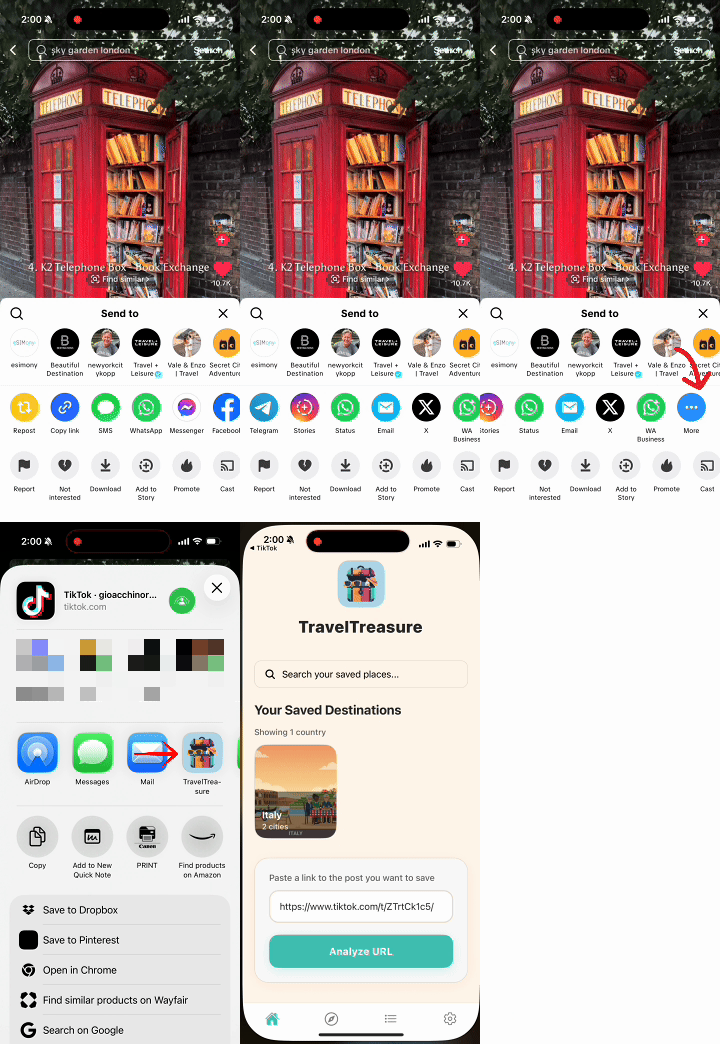
Step 1: Save any travel link
You can share a TikTok, Instagram Reel, YouTube video, Google Maps link, or any webpage directly to TravelTreasure. Just tap the Share button on your social app and choose TravelTreasure. We'll automatically capture the link for you.
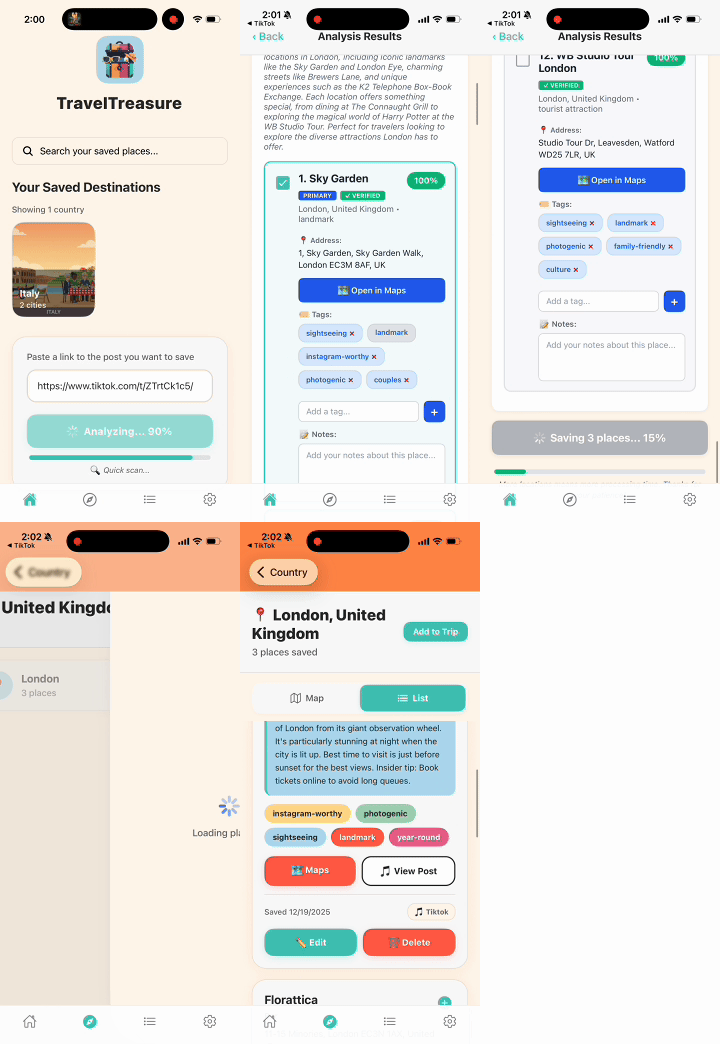
Step 2: Let AI extract all the places
Once the link is received, TravelTreasure scans the content and pulls out every location mentioned — restaurants, cafés, viewpoints, hotels, shops, hidden gems, and more. No copying, pasting, or typing required.
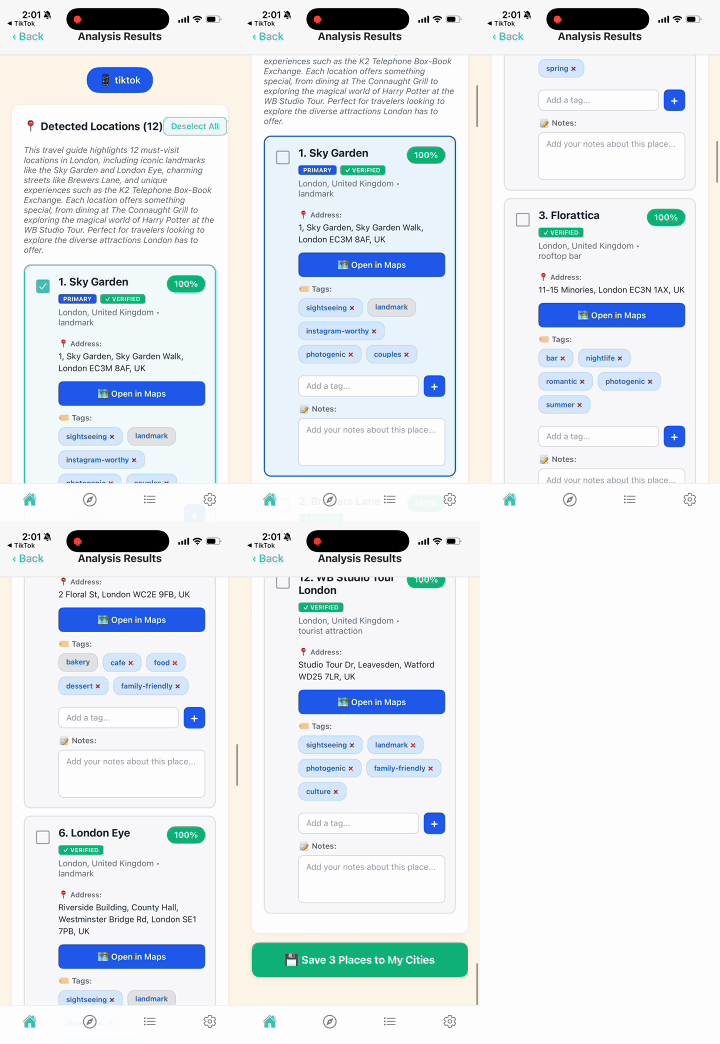
Step 3: Choose what you want to keep
Review the extracted places and save the ones you care about. Add tags (like Food, Kid-Friendly, Coffee, Attractions) or write personal notes to keep everything organized your way.
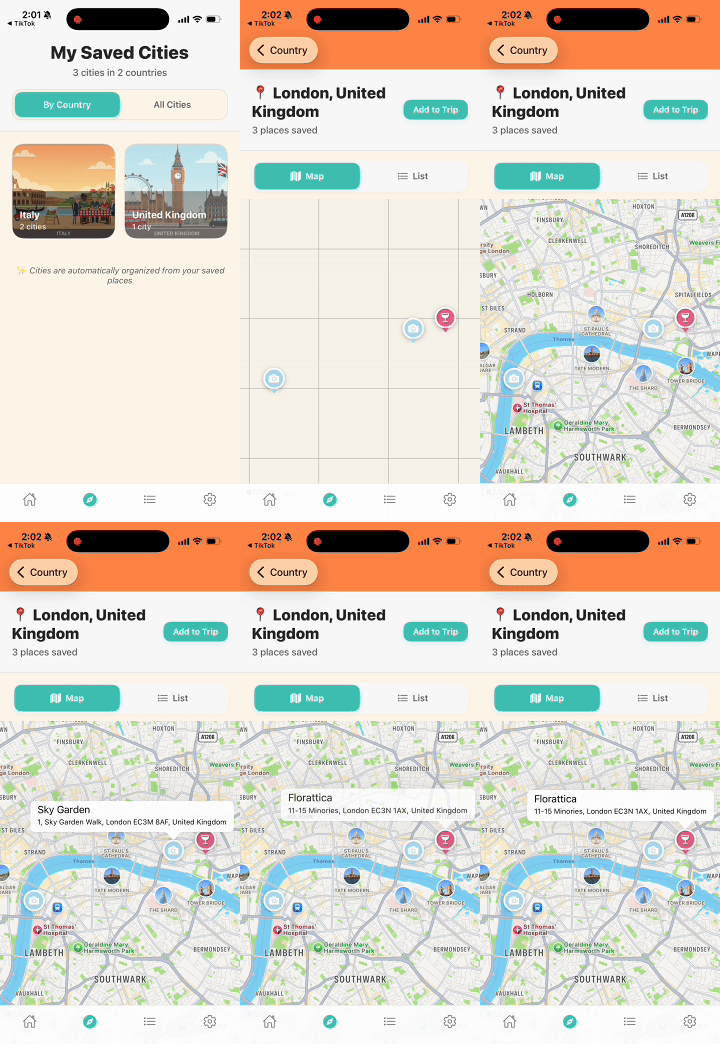
Step 4: Explore everything on your map
Your saved places automatically group by city and show up on your TravelTreasure map. Zoom in to explore, build itineraries, and plan your trip with all your inspiration in one place.
Creating Trips & Organizing Your Places
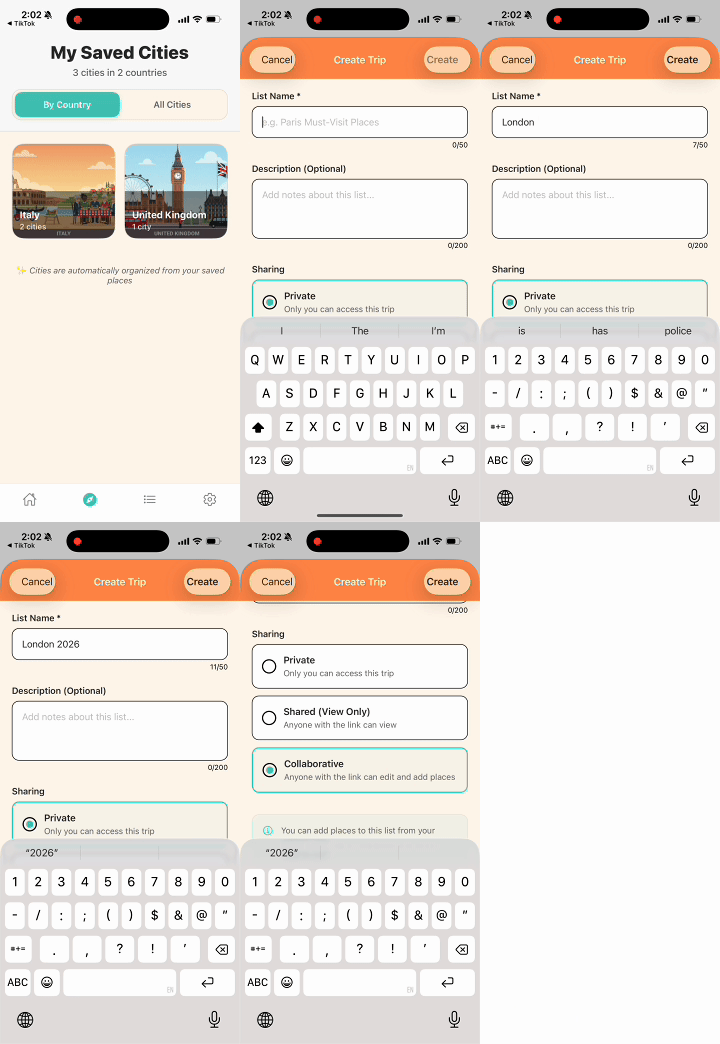
Step 5: Create a Trip
Build a dedicated place for your upcoming vacation, weekend getaway, or city visit. Tap + Create Trip, give it a name, and your new trip list is ready to fill.
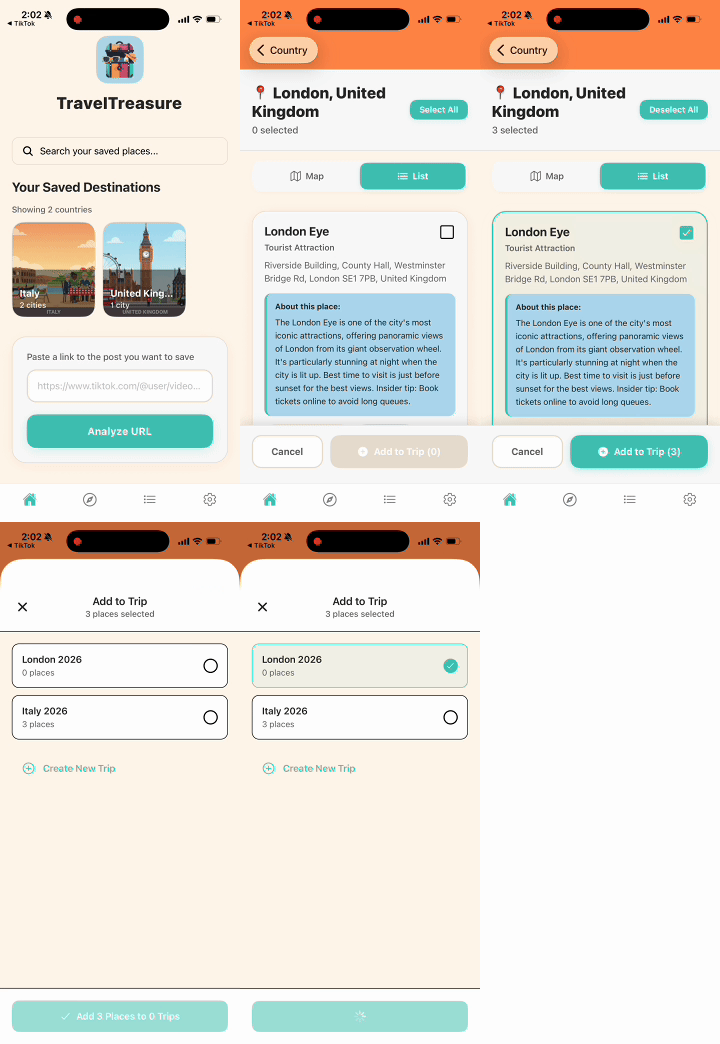
Step 6: Add Places to Your Trip
Open any saved place and tap Add to Trip. Choose the trip you want, and that spot will be included in your itinerary instantly.
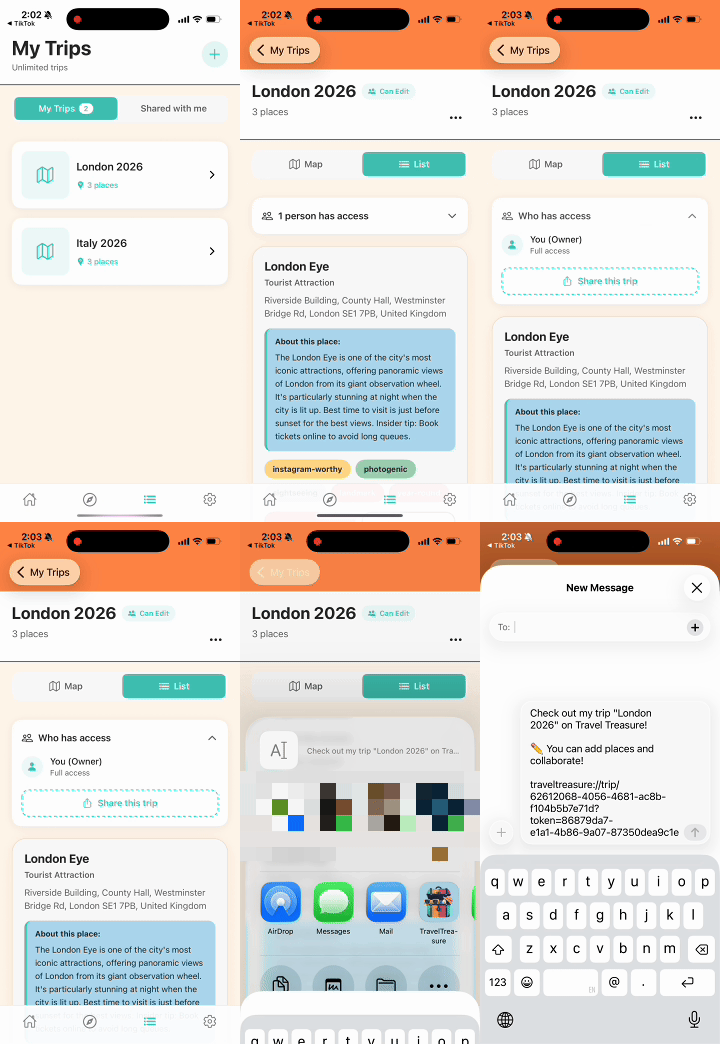
Step 7: Collaborate on Trips with Friends (Pro)
Invite friends or family to help build your trip together. Share your trip link, let others add places, leave notes, and plan as a group — all in one shared space.
Ready to start saving your travel discoveries?
Download TravelTreasure and never lose a hidden gem again