
How to Turn Travel Videos into Real Trip Plans (Without Screenshots)
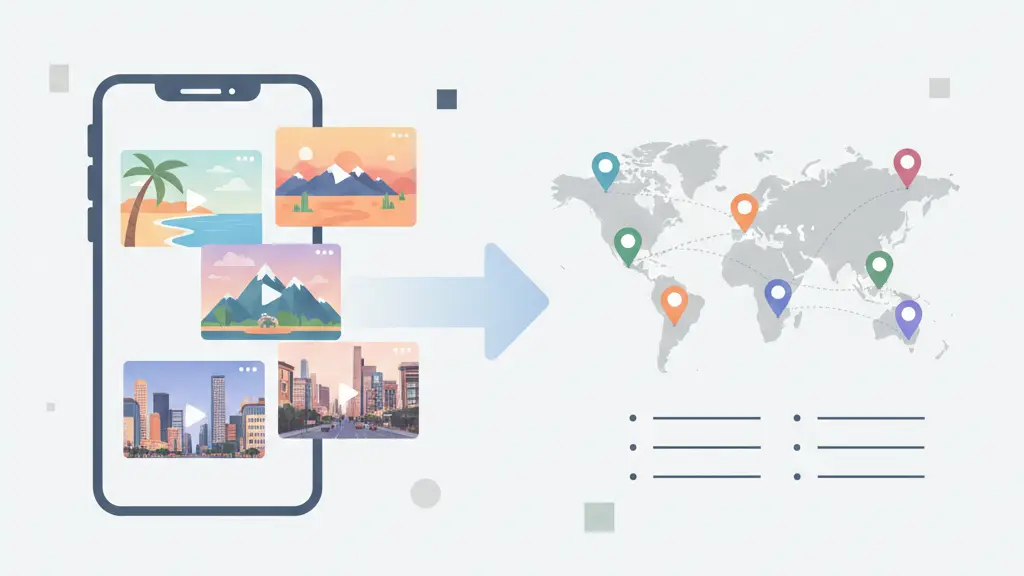
Organizing saved travel videos can quickly become overwhelming when everything is spread across TikTok, Instagram, YouTube, and bookmarks. This guide shows how to organize saved travel videos into real trip plans by extracting the places mentioned and placing them on interactive maps and lists — no screenshots, no manual notes, no confusion.
Why saving travel videos alone doesn't work
Screenshots feel fast, but they break down quickly:
- You forget where the place was
- You don't remember why you saved it
- There's no map context
- You can't group places by trip or city
After a while, your camera roll becomes a junk drawer of half-remembered ideas.
Step-by-step: organize saved travel videos
The key is to separate inspiration from planning.
Here's the workflow that actually works:
Save the travel video link
TikTok, Instagram Reels, YouTube — whatever inspired you.
Extract the places from the content
Instead of manually re-typing names, pull out the restaurants, cafés, attractions, and landmarks mentioned.
View everything on a map
Seeing places geographically is what turns ideas into a real trip.
Group places by trip or destination
"Paris Cafés," "London 2026," or "Weekend in Tokyo."
Once your ideas live in one place, planning becomes easy.
Tips for planning trips from saved videos
Let's say you've saved:
- •3 TikToks about London food
- •2 Instagram Reels about markets
- •1 YouTube video about hidden neighborhoods
Instead of jumping between apps, you organize everything into a single London trip:
- Markets in one cluster
- Cafés in another
- Attractions grouped by area
Now you're not just inspired — you're prepared.
The goal isn't more inspiration — it's clarity
Travel inspiration is endless. Time and attention are not.
The goal isn't to save more videos — it's to turn the best ones into trips you'll actually take.
That's the difference between dreaming about travel and planning it.
FAQ
What is the best way to organize saved travel videos?
The best way is to share the video links into a tool that extracts place information and organizes them into maps and lists — making them actionable for planning.
Can I organize videos from multiple platforms?
Yes — you can organize saved videos from TikTok, Instagram Reels, and YouTube all in one place.
Do I need screenshots to plan trips?
No — saving a video link is enough; the tool extracts locations so you don't need screenshots or manual notes.
How does this help with trip planning?
By collecting places into an organized trip list or map, you can visualize and plan your itinerary more easily.
Want more inspiration from top travel creators? Check out our guide to the best travel creators worth following.