Best Apps to Save Travel Places from Social Media (2026 Comparison)
You find a perfect restaurant on TikTok. You tap save. Two weeks later, you have no idea where it was.
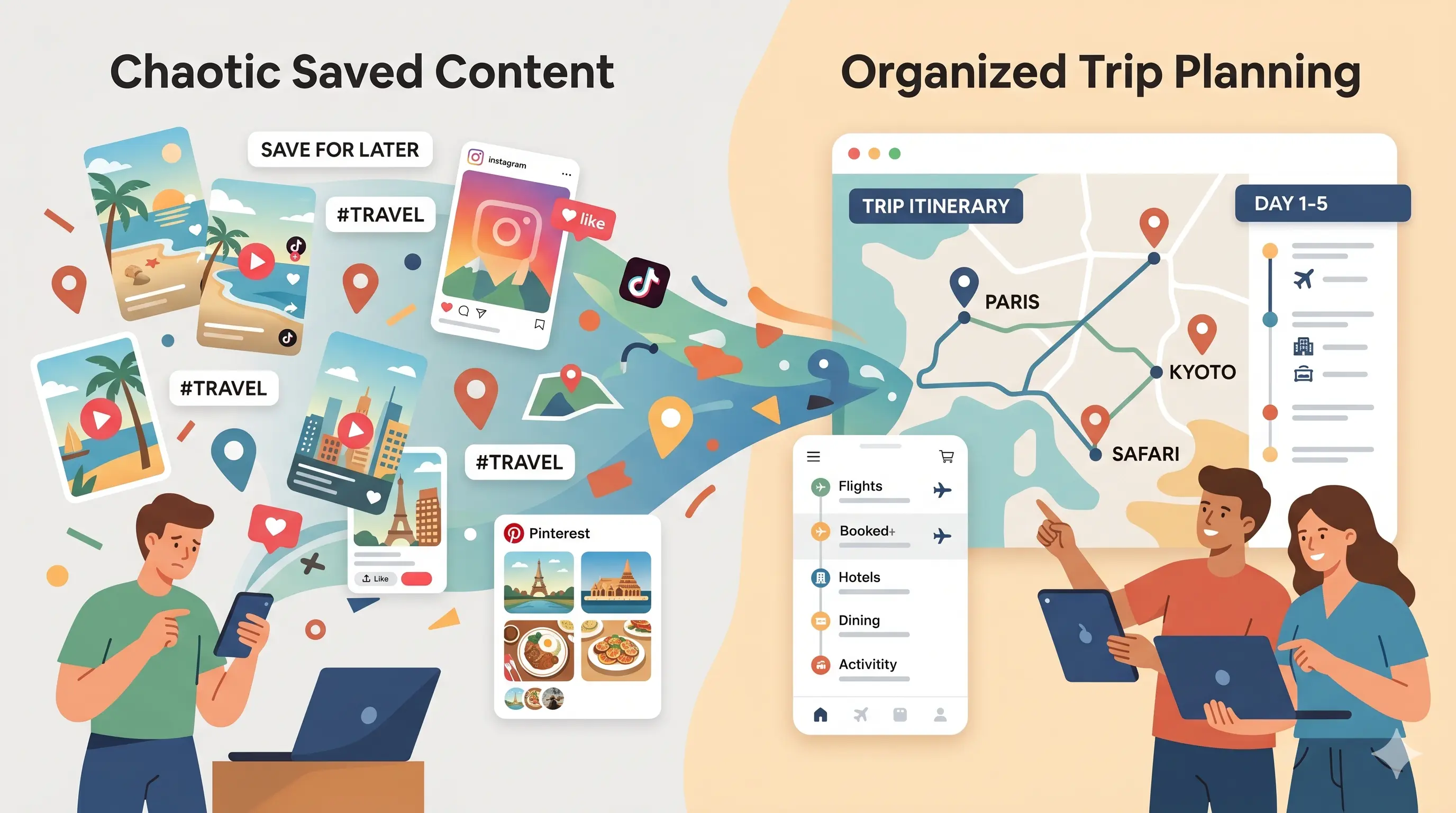
That's the problem most travel apps still haven't solved. TikTok, Instagram, and YouTube are incredible for discovering places — but terrible for turning those discoveries into an actual trip plan. The video gets saved. The place gets forgotten.
Here's a practical comparison of the most useful apps for organizing travel spots from social media in 2026 — and which type of traveler each one works best for.
The problem with saving travel places from social media
Social platforms are built for discovery, not planning. When you save a travel Reel or TikTok:
- •the place name is often missing
- •the location isn't mapped
- •the video disappears into a giant saved folder
- •and there's no easy way to organize everything by trip
So most people end up doing some version of this:
- screenshotting videos
- saving links in Notes
- manually searching places in Google Maps
- or forgetting the place entirely
The gap between “I found this place online” and “I can actually visit this place later” is still surprisingly broken.
Google Maps (Saved Lists)
FreeGoogle Maps is still the default travel planning tool for most people. You can save places into lists, organize by destination, and navigate easily once you arrive.
Strengths
- ✓Excellent place data, reviews, and hours
- ✓Reliable navigation and offline maps
- ✓Easy to share lists with others
Limitations
- ✗Requires manually searching for every place
- ✗No direct TikTok or Instagram parsing
- ✗Original videos and context get lost
Best for: Travelers who already know the place name and want reliable navigation and saved lists.
Pinterest Travel Boards
FreePinterest remains one of the best tools for collecting travel inspiration visually. It's great for mood boarding destinations, cafés, hotels, and aesthetics.
Strengths
- ✓Great visual inspiration
- ✓Easy to collect travel ideas quickly
- ✓Huge amount of travel content already on the platform
Limitations
- ✗No map-based planning
- ✗Difficult to organize geographically
- ✗Doesn't turn saved inspiration into a real itinerary
Best for: Collecting aesthetic inspiration before a trip.
Wanderlog
Free / PaidWanderlog is a collaborative trip planning app focused on itinerary building, route planning, and organizing trip details in one place.
Strengths
- ✓Strong collaborative planning features
- ✓Trip itineraries and scheduling tools
- ✓Useful for multi-stop trips and road trips
Limitations
- ✗Social media saving workflow is still mostly manual
- ✗Requires adding places yourself
- ✗Less focused on TikTok/Instagram discovery workflows
Best for: Travelers actively planning a trip itinerary with friends or family.
TravelTreasure
Free · iOSTravelTreasure is designed specifically for travelers who discover places through TikTok, Instagram Reels, YouTube, and other social content.
Instead of manually searching for places, you share the video link directly to the app. The app extracts the place, maps it, and saves it into your trip list automatically.
Strengths
- ✓Share TikTok, Instagram, or YouTube links directly
- ✓Automatically extracts and maps places from videos
- ✓Organize saves into trip lists like "Tokyo 2026" or "NYC Food"
- ✓Keep the original video attached to the saved place
- ✓Visual map view makes trip planning easier
Limitations
- ✗Best for video-based travel discovery workflows
- ✗Less useful for purely text-based recommendations
Best for: Travelers who constantly discover places through social media and want a faster way to turn inspiration into an organized trip plan.
Quick comparison
| Tool | Saves social media discoveries | Map view | Trip organization |
|---|---|---|---|
| TravelTreasure | Automatic from shared links | Yes | Yes |
| Google Maps | Manual entry | Yes | Yes |
| Inspiration only | No | Boards | |
| Wanderlog | Manual entry | Yes | Yes |
Which app is right for you?
Use Google Maps if:
You already know the places you want to visit and mainly need navigation and saved lists.
Use Pinterest if:
You're collecting travel inspiration and visual ideas before deciding on a trip.
Use Wanderlog if:
You're actively building a collaborative itinerary with schedules, routes, and plans.
Use TravelTreasure if:
Most of your travel discoveries come from TikTok, Instagram, or YouTube and you want a faster workflow from video → saved place → map.
Why social-media-first travel planning is different
Most travel tools were built around search. But social travel discovery doesn't work like that anymore.
You see a ramen shop in a TikTok video. Or a café hidden in a Paris side street. You don't know the name yet — you just know you want to save it.
That's why newer travel workflows are shifting toward link-based saving instead of manual search. The easier it is to go from “I saw this online” to “I saved this for my trip,” the more useful the travel planning process becomes.
Planning a future trip?
Save travel spots to your account and access them from any device — desktop or mobile.
Create a free account →Frequently asked questions
What is the best app for saving travel places from TikTok?
TravelTreasure is designed specifically for this workflow. You can share TikTok, Instagram, or YouTube links directly to the app and organize discovered places into mapped trip lists.
Is Google Maps enough for travel planning?
Google Maps is excellent for navigation and saved places, but it still requires manual searching and organization when saving places discovered on social media.
What's the difference between Wanderlog and TravelTreasure?
Wanderlog focuses more on itinerary building and collaborative trip planning. TravelTreasure focuses on capturing places directly from social media content and organizing them into travel maps and lists.
Can I organize TikTok travel finds into a map automatically?
Some newer travel planning apps, including TravelTreasure, now support turning shared social media links into mapped travel saves automatically.